
Printing Patient Wristbands at Bedside: Mobile Printer Options and Workflow
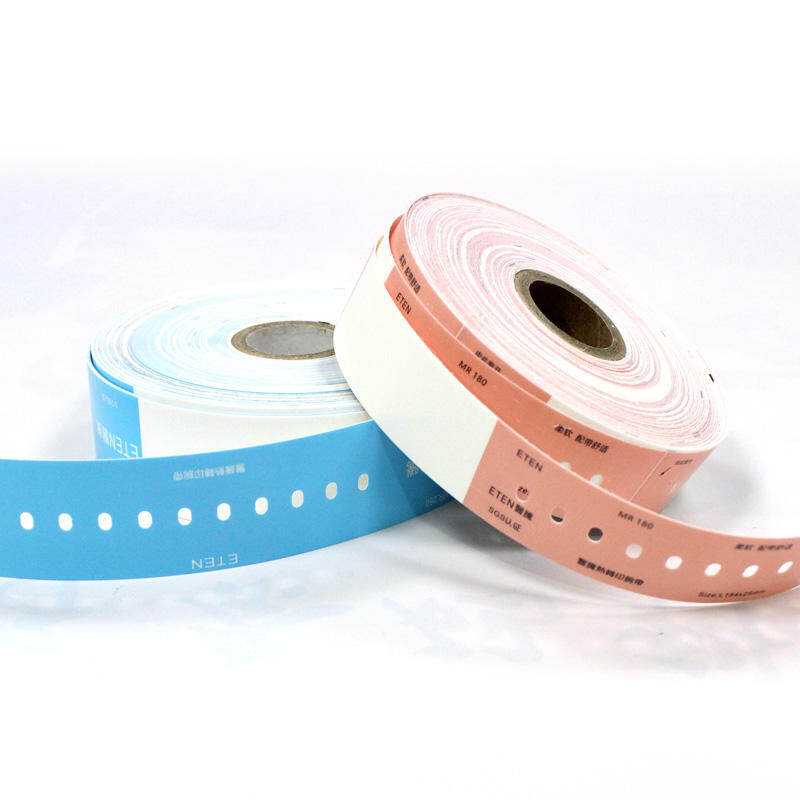
Patient identification is the foundation of safe healthcare delivery, and the wristband remains the most visible and relied-upon tool for ensuring that the right patient receives the right care. For decades, wristbands were printed at central locations—admissions desks, nursing stations, or dedicated labeling rooms—and then transported to the patient. This centralized approach introduced delays, created opportunities for mix-ups, and often forced staff to leave the bedside at critical moments.
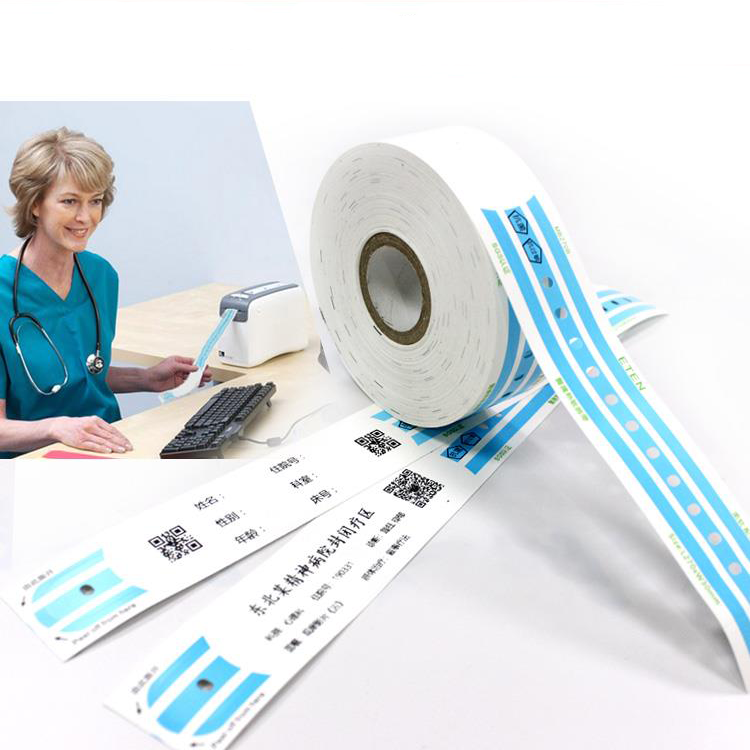
The shift toward bedside wristband printing represents a fundamental change in how healthcare facilities manage patient identification. By bringing the printer directly to the point of care, hospitals can print wristbands, specimen labels, and medication labels exactly where and when they are needed, eliminating the delay between patient encounter and identification. This approach is gaining momentum as more facilities recognize its potential to improve patient safety, streamline workflows, and reduce errors.
This article provides a comprehensive guide to bedside wristband printing. It covers the benefits and challenges, the mobile printer options available, the technology and workflow requirements, and practical strategies for successful implementation. It is intended for healthcare administrators, nursing leaders, IT professionals, and medical wristband suppliers who are evaluating or deploying point-of-care printing solutions.
Why Move to Bedside Wristband Printing
The Limitations of Centralized Printing
Traditional centralized printing creates several problems that bedside printing aims to solve:
Delays in Patient Identification: When a wristband must be printed at a central location and then delivered to the patient, there is an inherent delay. During busy periods, this delay can extend to minutes or longer, leaving patients without identification bands and creating risks during that window.
Workflow Interruption: Nurses and other staff must leave the bedside, travel to the printer, wait for the print job, and return. Each trip represents time away from direct patient care and an opportunity for distraction or interruption.
Label Errors and Mix-Ups: When multiple labels are printed at a central location and then distributed, there is a risk that labels could be delivered to the wrong patient or that labels for different patients could become mixed up.
Limited Flexibility: Centralized printers may not be available during downtime events, system outages, or in remote clinical areas, forcing staff to use manual workarounds that increase error risk.
The Case for Point-of-Care Printing
Bedside wristband printing addresses these limitations by placing the printing capability directly in the hands of the clinical staff who need it. The benefits include:
Immediate Identification: Wristbands can be printed and applied immediately upon patient admission, transfer, or when a replacement is needed. There is no delay between the decision to print and the application of the band.
Reduced Errors: Printing at the bedside, often with a scan-to-print workflow that requires scanning the patient's existing wristband or the medication order before printing, adds a verification step that reduces the risk of printing the wrong information.
Improved Efficiency: Staff no longer need to leave the bedside to retrieve labels. This saves time and keeps clinical staff focused on patient care.
Enhanced Compliance: Point-of-care printing supports compliance with accreditation standards that require accurate, legible patient identification bands to be in place at all times.
Downtime Resilience: Mobile printers can operate independently of the hospital network, enabling wristband printing to continue during system outages or cyber incidents.
Real-World Implementation: A Case Study
A major academic medical center implemented bedside label printing as part of a broader initiative to improve patient safety and specimen collection quality. Over an 18-month period, the organization deployed more than 700 lab label printers across inpatient units, emergency departments, and perioperative areas. The initiative replaced central printers with either in-room printers or mobile printers carried by staff. As part of the workflow, nurses and phlebotomists were required to scan the patient's wristband before printing labels. This scan-to-print requirement ensured that labels were correctly associated with the right patient and encounter.
The implementation was supported by a dedicated command center during the go-live period, with representatives from printer manufacturers on site to assist with any issues. The initiative was reported as a success, helping the organization meet updated patient safety standards from accrediting bodies.
Mobile Printer Options for Bedside Wristband Printing
Key Considerations for Mobile Printers
Not all printers are suitable for bedside use. Mobile printers designed for healthcare must meet specific requirements:
Portability: The printer must be lightweight enough to be carried by staff during rounds or transported on a cart. Most healthcare mobile printers weigh between 1 and 3 pounds.
Battery Life: The printer must operate for a full shift on a single charge or have easily swappable batteries. High-capacity lithium-ion batteries are standard in this category.
Durability: The printer must withstand the bumps, drops, and environmental challenges of clinical use. Specifications such as IP43 or higher for dust and water resistance, and drop ratings of 1.8 meters or more, are common.
Disinfectant-Ready Materials: Healthcare printers must be able to withstand frequent cleaning with alcohol-based disinfectants and other cleaning agents without degradation. Printers with disinfectant-ready housings are specifically designed for this purpose.
Connectivity: Wireless connectivity via Bluetooth or Wi-Fi enables seamless integration with tablets, handheld devices, and hospital information systems.
Print Quality: The printer must produce clear, scannable barcodes and legible text. Resolution of 203 dpi is standard, with 300 dpi options available for finer detail.
Printer Models for Bedside Use
Several manufacturers offer mobile printers specifically designed for healthcare environments:
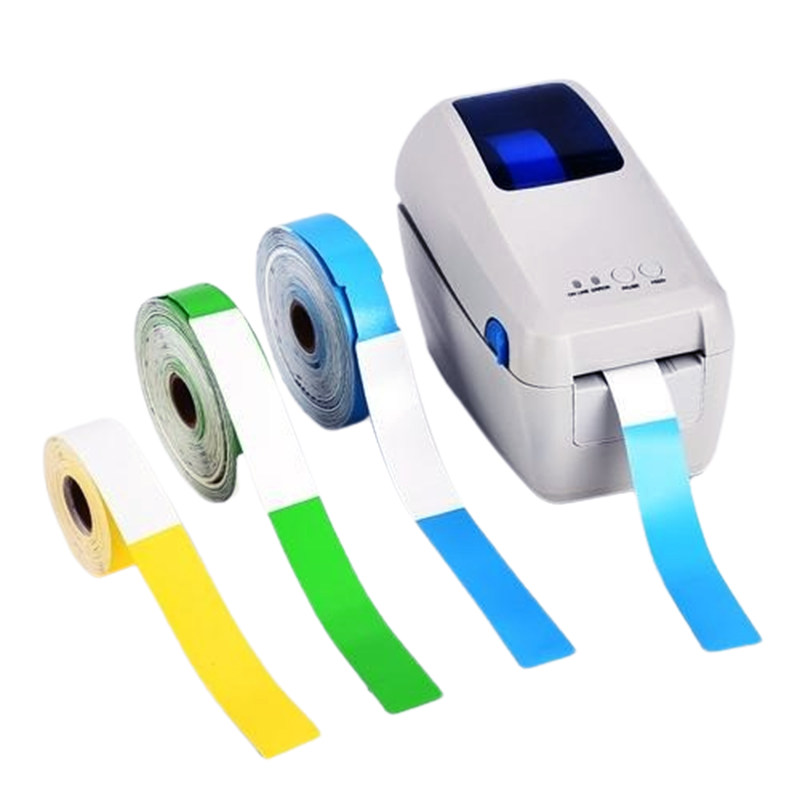
Zebra ZQ600 Plus Series: The ZQ600 Plus Healthcare series is a premium mobile printing solution designed for hospitals, clinics, laboratories, and pharmacies. It delivers fast, high-quality 4-inch label printing for wristbands, specimen labels, medication tags, and patient charts. The printer features Bluetooth and Wi-Fi connectivity, a long-lasting battery for full-shift use, and disinfectant-ready plastics. The ZQ610 model offers a 48mm print width, while the ZQ620 offers 72mm for wider labels.
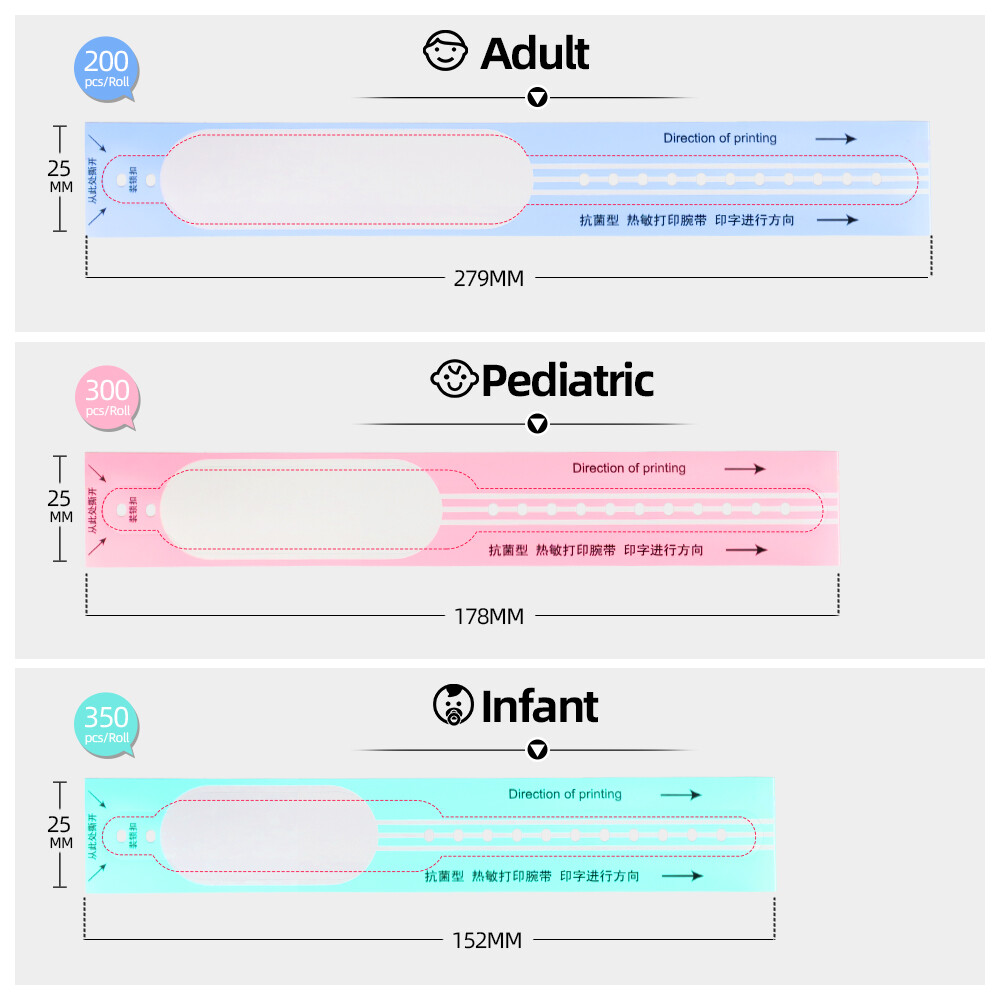
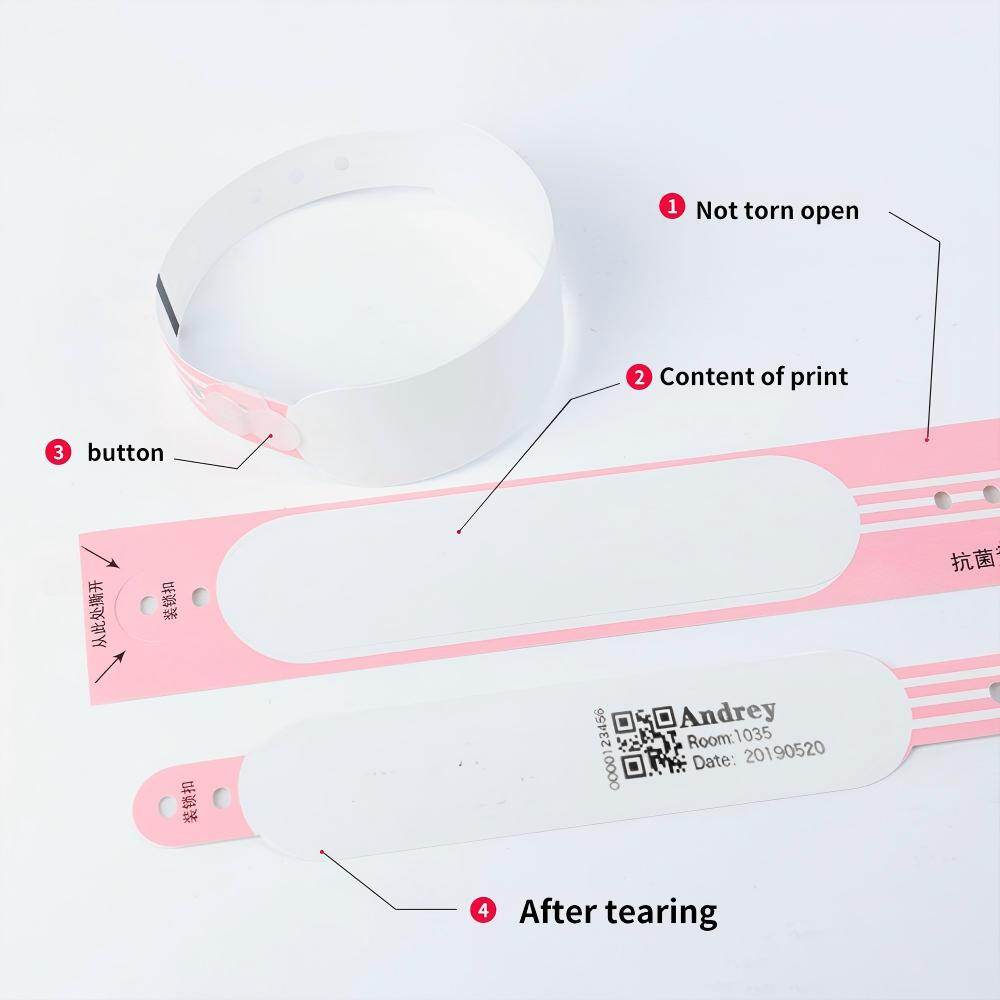
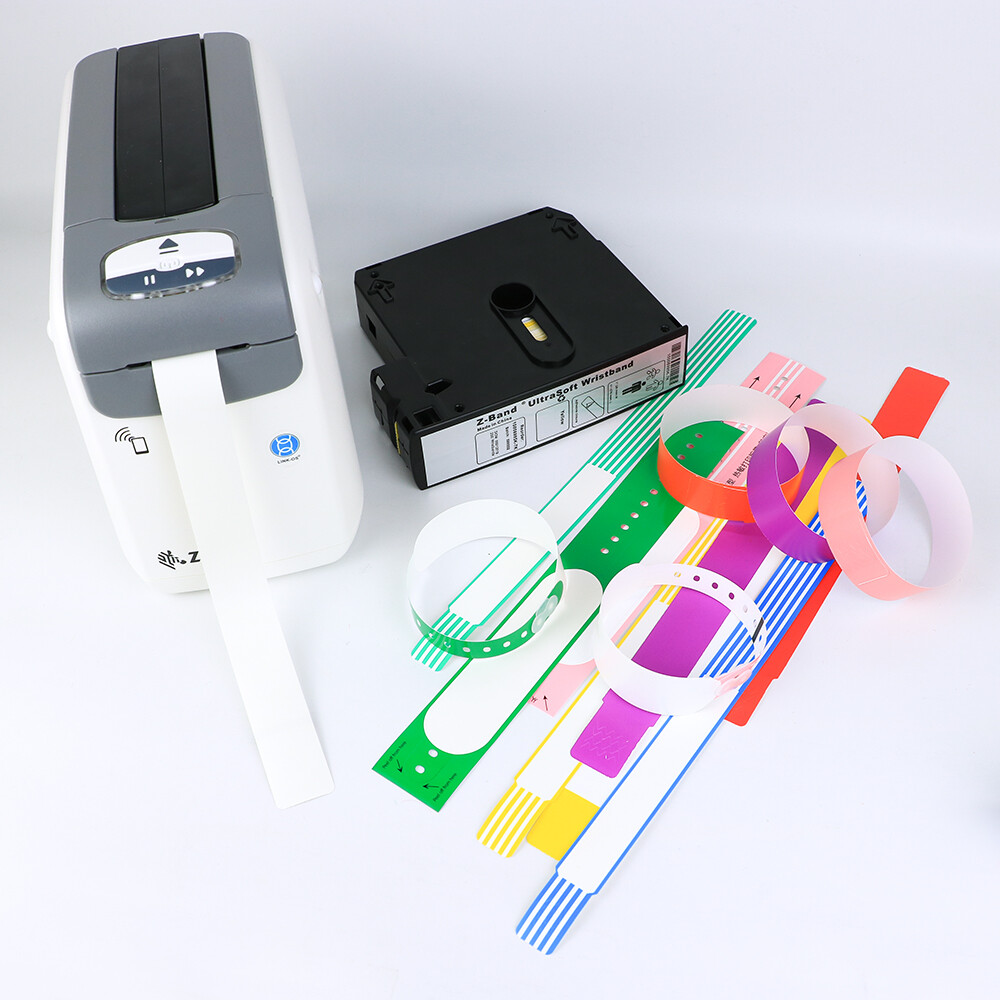
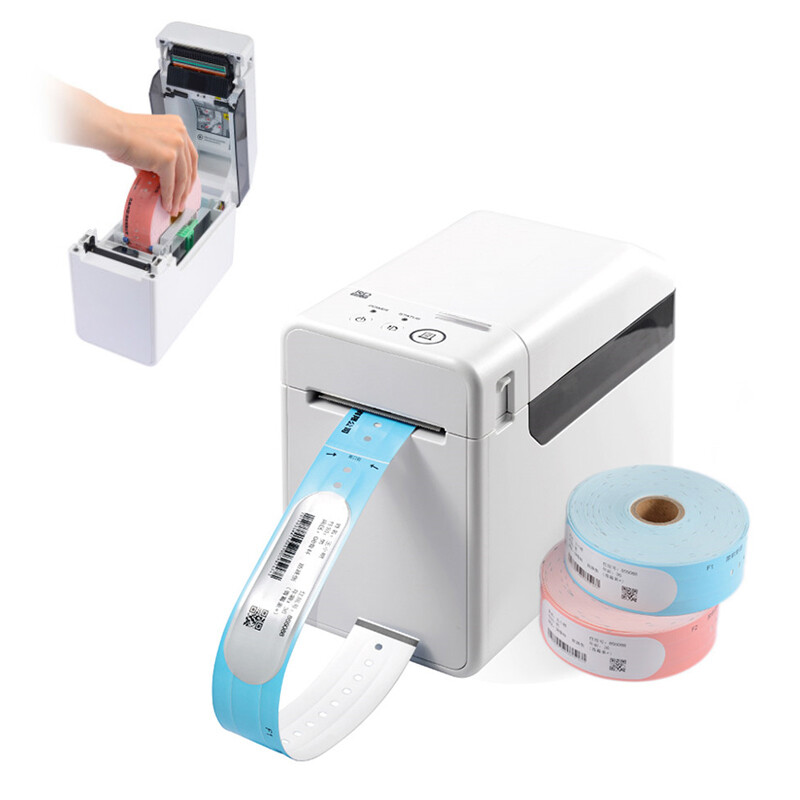
HPRT Wristband Printers: HPRT offers thermal wristband printers that are compact, durable, and easy to operate. These printers support direct thermal wristbands, Tyvek wristbands, and plastic wristbands with adhesive or snap closures. They come with BarTender design software for creating custom wristbands and offer USB and Ethernet connectivity, with optional Bluetooth for mobile use.
BIXOLON XD7-20d-H: This premium 2-inch direct thermal healthcare label printer combines a compact footprint with fast, precise output. It features disinfectant-ready materials, a medical-grade power supply compliant with IEC 60601-1, and print speeds of up to 8 ips. The printer supports flexible connectivity options including USB, Ethernet, WLAN, and Bluetooth.
Printer Placement Strategies
Mobile printers can be deployed in several ways depending on the clinical workflow:
Carried by Staff: Some mobile printers are designed to be worn on a belt or carried in a holster, allowing staff to print labels wherever they are. This approach is common for phlebotomy teams and nurses who move frequently between patients.
Mounted on Carts: Printers can be mounted on medication carts, vital signs carts, or other mobile workstations. This keeps the printer available in the patient room without requiring staff to carry it.
In-Room Placement: For units where patients are assigned to specific rooms, an in-room printer can provide convenient access without the need for staff to carry a printer. This approach is common in intensive care units and other settings where patients remain in one location.
Workflow Integration: The IT and Nursing Intersection
Scan-to-Print Workflows
The most effective bedside printing workflows incorporate scan-to-print functionality. Before printing a wristband or label, the user scans the patient's existing wristband or another identifier to confirm that the correct patient is selected. This verification step ensures that the printed information is associated with the right patient and encounter.
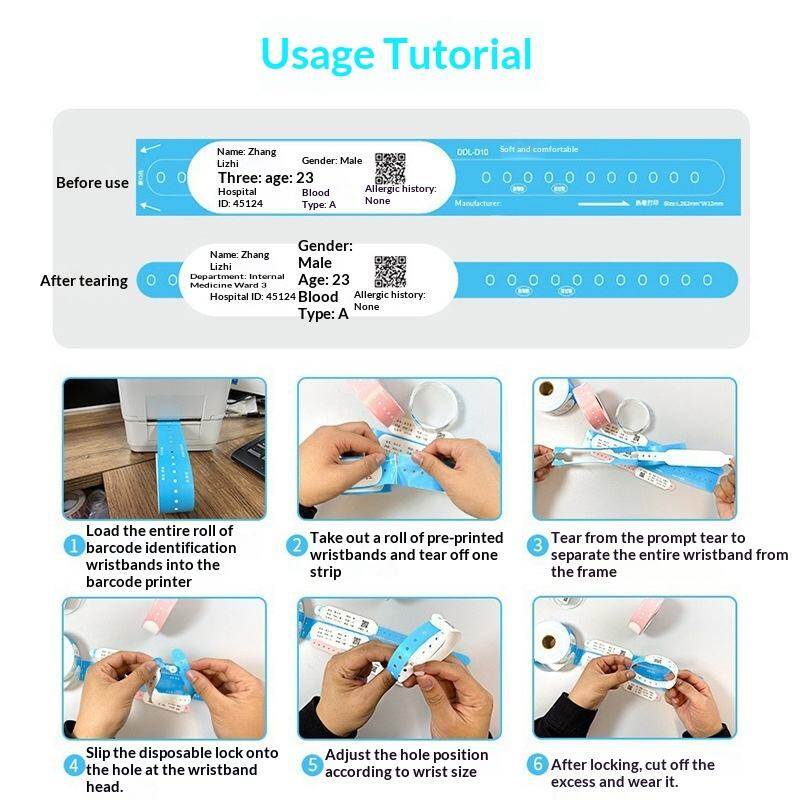
The scan-to-print workflow typically follows these steps:
Patient Identification: The clinician scans the patient's existing wristband or enters the patient identifier in the system.
Verification: The system verifies that the patient identifier matches an active encounter and displays the patient information.
Print Command: The clinician initiates the print command, and the label is printed at the bedside.
Application: The wristband is applied to the patient immediately, and the label is scanned again to confirm correct application if required.
This workflow reduces the risk of printing labels for the wrong patient and provides an audit trail that can be used for compliance monitoring.
Integration with Electronic Health Records
Bedside printing must integrate seamlessly with the electronic health record (EHR) system. When a wristband is printed, the system should:
Pull patient demographic information directly from the EHR to ensure accuracy
Associate the printed wristband with the correct encounter and visit number
Log the print event for audit purposes
Support reprints when bands are damaged or lost
Integration requires coordination between the IT department, nursing leadership, and the EHR vendor. Print templates must be designed to include the required data fields in the correct format, and testing must verify that the printed information matches the EHR data.
Data Fields and Barcode Standards
Standardizing the data fields and barcode format on wristbands is essential for reliable scanning and identification. Key considerations include:
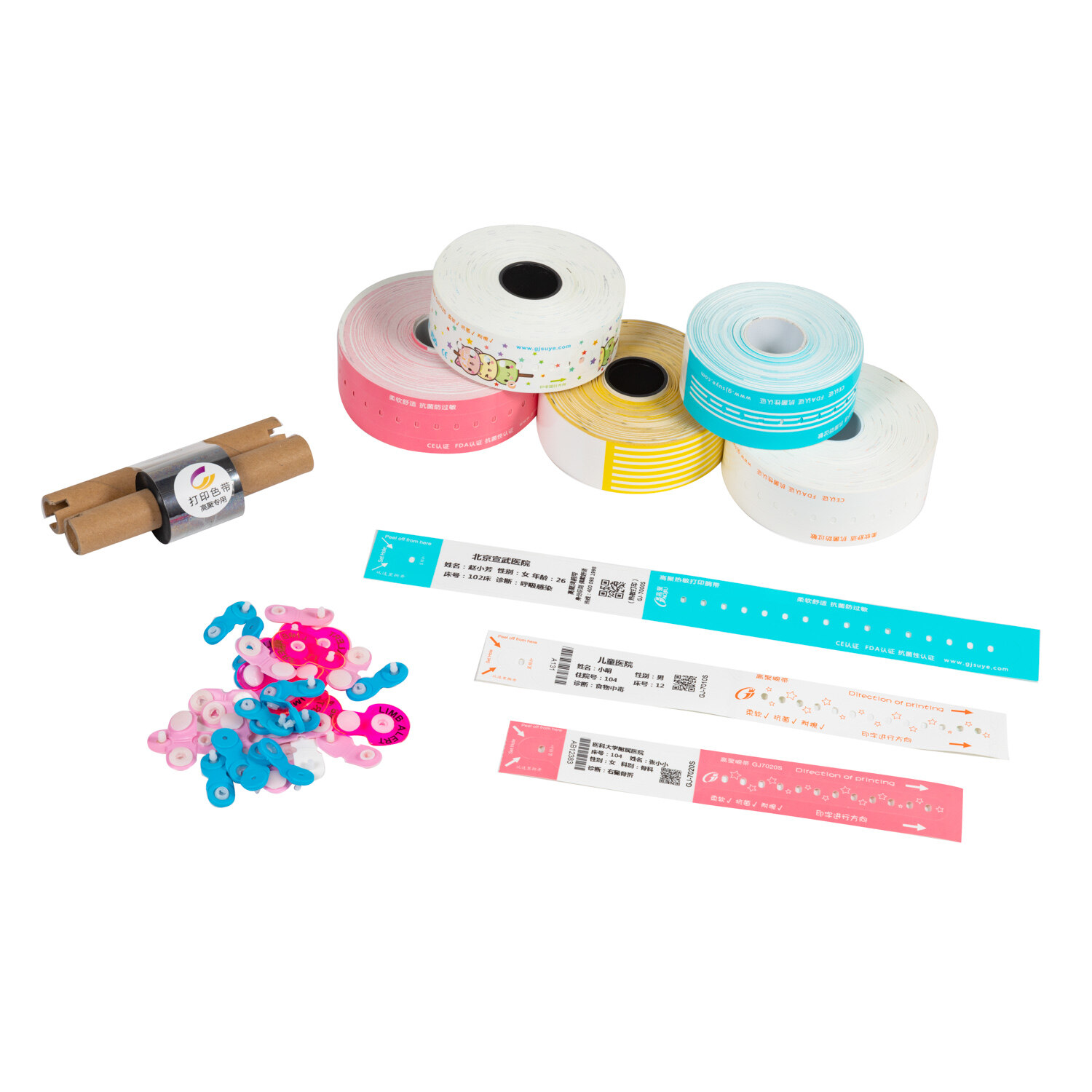
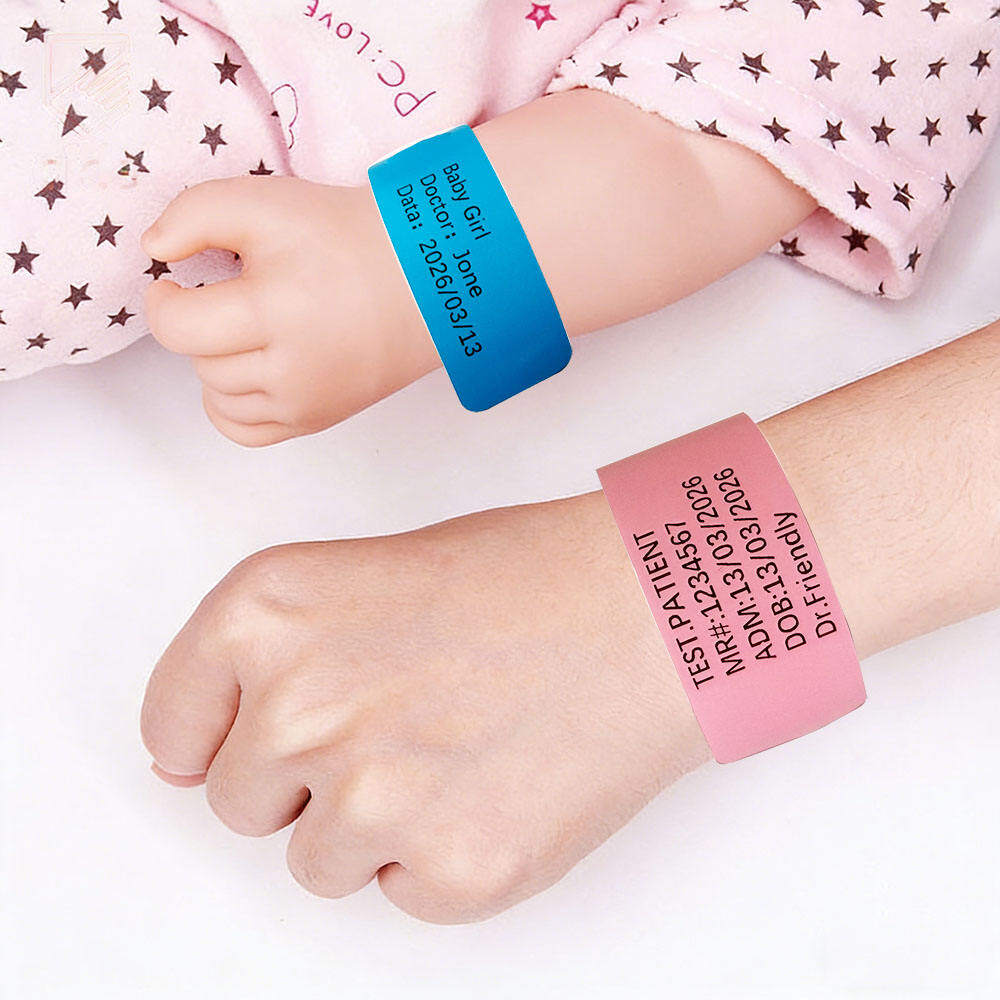
Core Data Fields: At minimum, wristbands should include the patient's legal name, date of birth, medical record number, and encounter/visit number. Additional fields such as allergy alerts, fall risk indicators, and blood type may be included based on facility policy.
Barcode Format: A single barcode format should be selected and used consistently across all wristband printing. Common options include Code 128, QR Code, and Data Matrix. The chosen format must be compatible with the scanners used throughout the facility.
Print Quality: Barcodes must be printed at sufficient contrast and resolution to be reliably scanned. Regular quality checks should verify that printed barcodes meet scanning standards.
Downtime Procedures
Bedside printing systems should include provisions for downtime events when the EHR or network is unavailable. Options include:
Standalone Mode: Mobile printers can operate independently of the network, printing from pre-loaded templates or manual data entry.
Downtime Kits: Facilities should maintain downtime kits with pre-printed wristbands, manual label stock, and written procedures for use during system outages.
Reconciliation: After downtime events, the facility must reconcile any manually printed wristbands with the EHR to ensure that all patient records are accurate.
Implementation Best Practices
Planning and Assessment
Before deploying bedside printing, facilities should conduct a thorough assessment:
Workflow Mapping: Document current wristband printing and application workflows, including all exceptions and workarounds. This baseline will help identify opportunities for improvement and potential barriers to implementation.
Infrastructure Review: Assess the wireless network coverage, printer compatibility, and integration requirements. Identify any gaps that must be addressed before deployment.
Stakeholder Engagement: Involve nursing, IT, infection control, and clinical leadership in the planning process. Their input will help ensure that the solution meets clinical needs and is adopted successfully.
Pilot Testing
A pilot deployment in a single unit or department allows the facility to test the solution, identify issues, and refine workflows before broader rollout. Pilot selection should prioritize units with engaged leadership and a manageable patient mix.
During the pilot, facilities should:
Test scan-to-print workflows under real clinical conditions
Evaluate printer performance, including print quality, battery life, and durability
Gather feedback from nursing staff on usability and workflow fit
Identify and resolve integration issues with the EHR
Training and Support
Effective training is essential for successful adoption. Training should be:
Role-Based: Different roles have different needs. Nurses need to know how to print wristbands and labels, while IT staff need to know how to configure and troubleshoot printers.
Scenario-Based: Training should include realistic scenarios that reflect the clinical environment, such as printing a wristband for a new admission, replacing a damaged wristband, and printing during downtime.
Short and Practical: Clinical staff have limited time for training. Sessions should be brief, focused, and hands-on.
Ongoing support should include:
A help desk or support channel for printer issues
Regular check-ins with nursing staff to identify problems and gather feedback
Refresher training as needed
Managing the Transition
Transitioning from centralized to bedside printing requires careful change management:
Phased Rollout: Deploy in phases, starting with a pilot unit and expanding based on lessons learned.
Redundancy: Maintain backup printing capability during the transition to ensure that wristbands can always be produced.
Communication: Keep staff informed about the timeline, expectations, and support resources.
Feedback Loops: Create mechanisms for staff to report issues and suggest improvements. Act on this feedback to demonstrate responsiveness and build trust.
Challenges and Solutions
Printer Maintenance and Hygiene
Mobile printers in clinical environments are exposed to dirt, moisture, and disinfectants. Regular maintenance is required to keep them functioning properly.
Solution: Choose printers with disinfectant-ready housings and follow manufacturer guidelines for cleaning. Establish a maintenance schedule that includes cleaning, battery checks, and firmware updates.
Wireless Connectivity Issues
Wireless connectivity can be unreliable in some clinical environments, leading to printing delays or failures.
Solution: Conduct a wireless site survey before deployment to identify dead zones. Use printers with both Bluetooth and Wi-Fi capability to provide flexibility. Implement store-and-forward functionality so that print jobs can be queued and completed when connectivity is restored.
Staff Adoption
Some staff may resist the change to bedside printing, particularly if they are comfortable with existing workflows.
Solution: Involve staff in the planning and pilot process. Provide clear training and support. Emphasize the benefits for patient safety and workflow efficiency. Address concerns directly and be responsive to feedback.
Cost Considerations
Mobile printers and the supporting infrastructure represent an upfront investment. Facilities must weigh this against the long-term benefits.
Solution: Calculate the total cost of ownership, including hardware, software, training, and support. Consider the cost of errors prevented and efficiency gains achieved. Explore leasing or financing options if upfront costs are a barrier.
Conclusion
Bedside wristband printing represents a significant advancement in patient identification practices. By bringing printing capability directly to the point of care, hospitals can improve accuracy, reduce delays, and enhance workflow efficiency. The technology is mature, with a range of mobile printers designed specifically for healthcare environments, and the workflows are well-established, with scan-to-print processes that add verification and reduce error risk.
However, successful implementation requires more than just purchasing printers. It requires thoughtful planning, integration with existing systems, training and support for staff, and a commitment to continuous improvement. Facilities that invest the time and effort to do this well will be rewarded with improved patient safety, more efficient workflows, and better outcomes for both patients and staff.
As healthcare continues to evolve toward more decentralized, patient-centered care, bedside printing will become an increasingly essential capability. For medical wristband suppliers and healthcare technology vendors, understanding the requirements of bedside printing workflows is essential for developing products and solutions that meet the needs of modern healthcare facilities.
Continue Reading
Have Questions About Wristbands?
Our team is ready to help you find the perfect wristband solution for your needs. Contact us directly on WhatsApp for quick responses.
Contact on WhatsApp