
Thermal vs Laser Wristbands: What Your Printer Setup Says About What You Should Buy
Understanding the Two Printing Technologies
Patient identification wristbands are the frontline safeguard against medical errors. Yet many procurement teams overlook a critical variable: the printing technology itself. When evaluating thermal vs laser wristbands, the decision is not simply about the band — it is about the entire printer ecosystem, the consumable supply chain, and the clinical environment in which the wristband will be used.
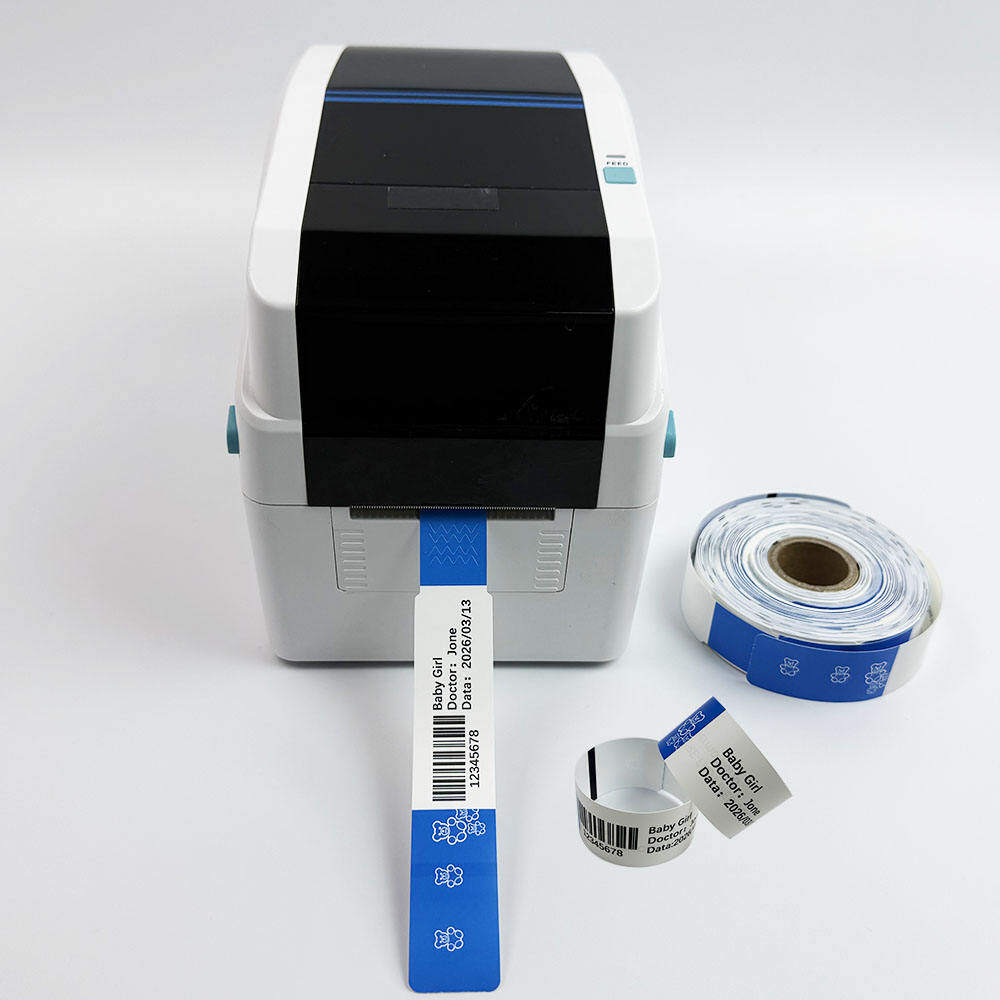
Direct thermal printing uses heat-sensitive media that darkens when exposed to a thermal printhead. No toner, no ink cartridges, no fuser unit. The printer applies heat directly to the wristband surface, producing sharp barcodes and text in a single pass. Laser printing, by contrast, uses a xerographic process: toner particles are fused onto the media surface using heat and pressure. The two technologies are fundamentally incompatible — a wristband designed for one will not work in the other.
Direct Thermal Wristbands: The Zebra Desktop Ecosystem
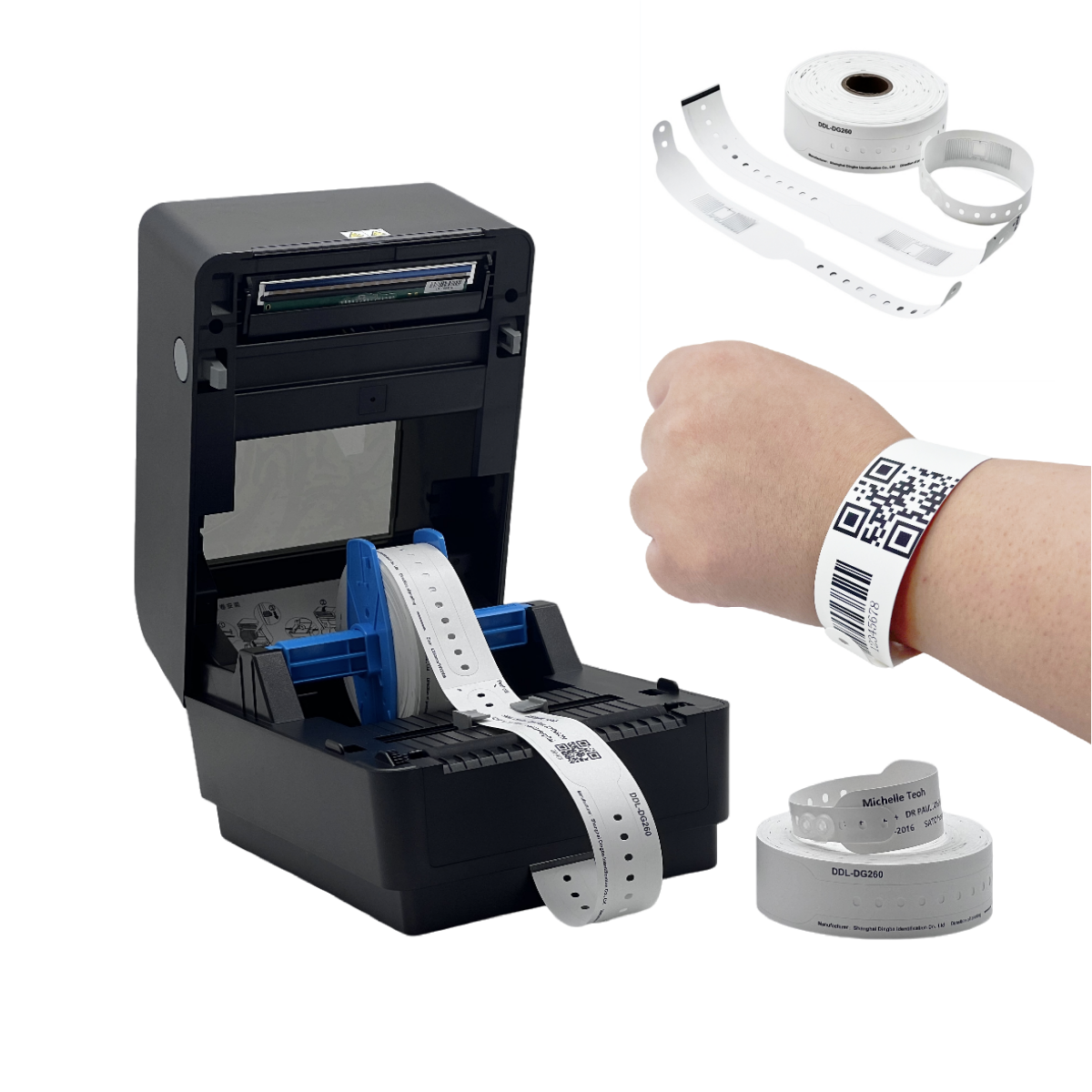
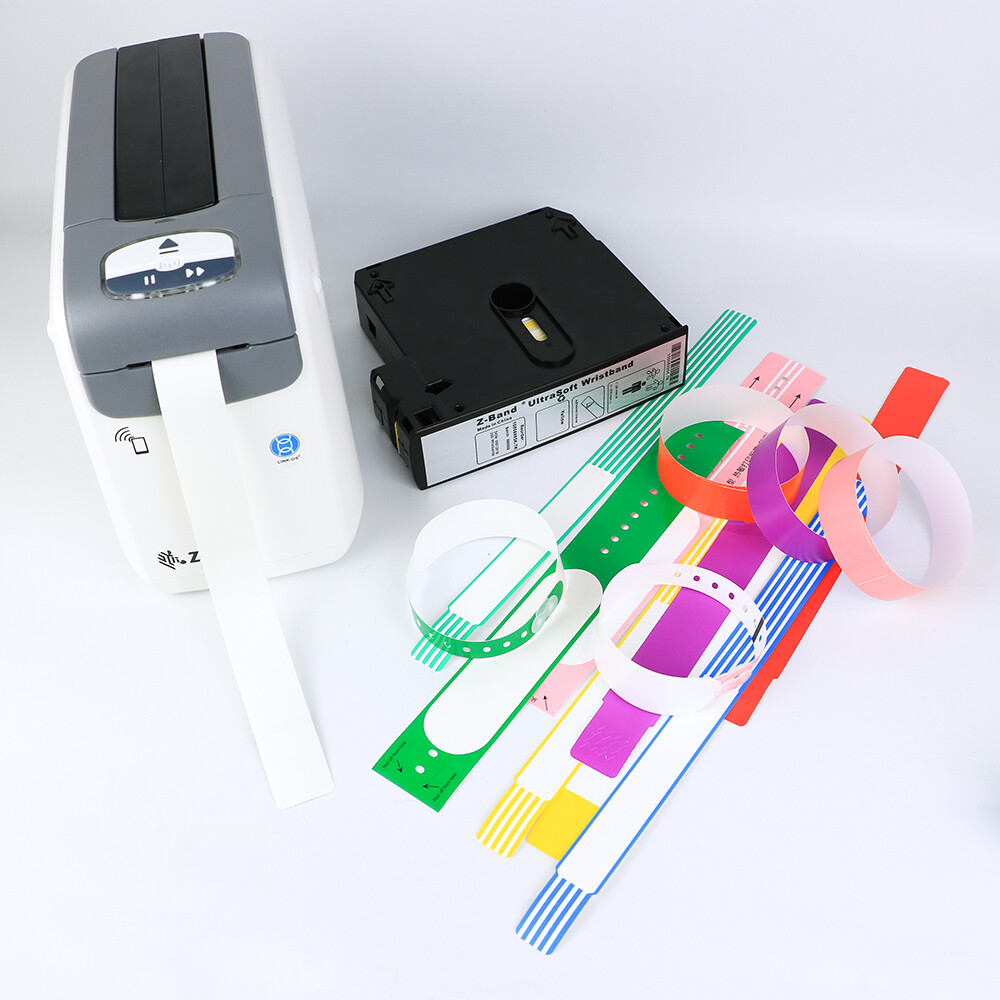
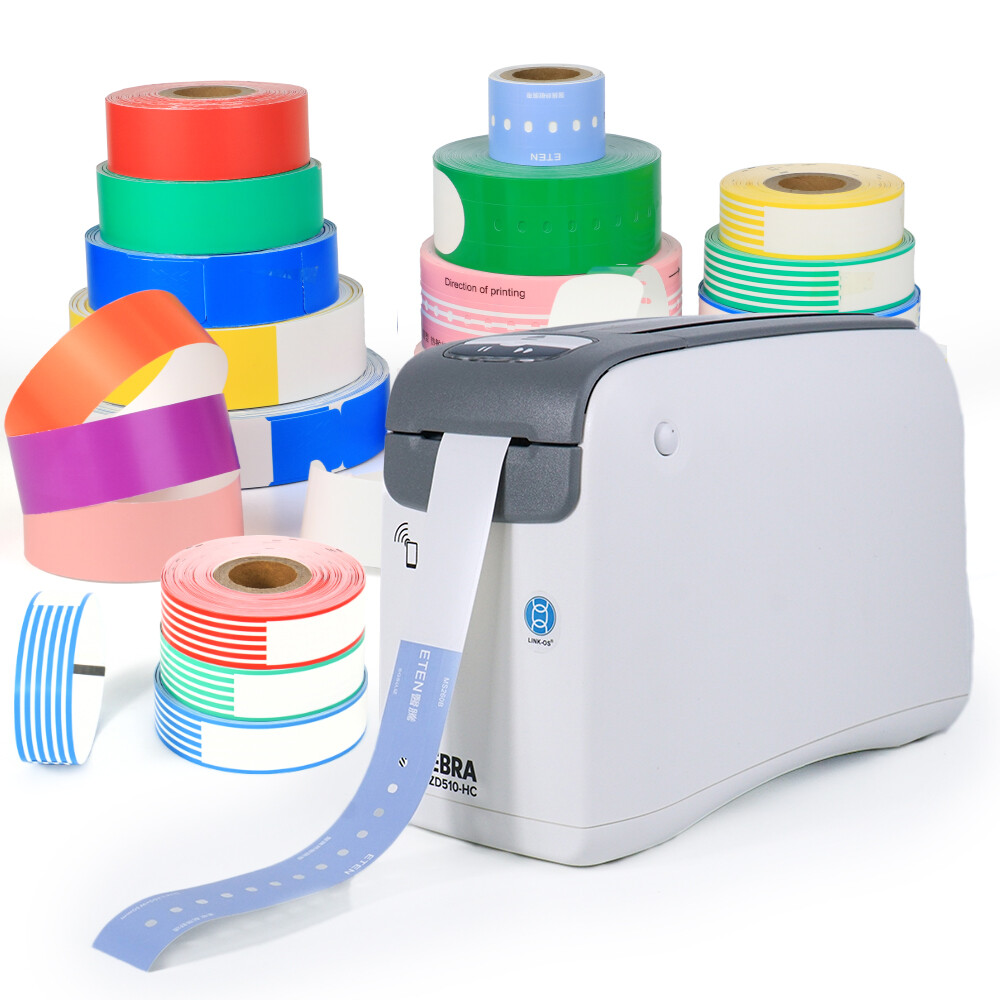
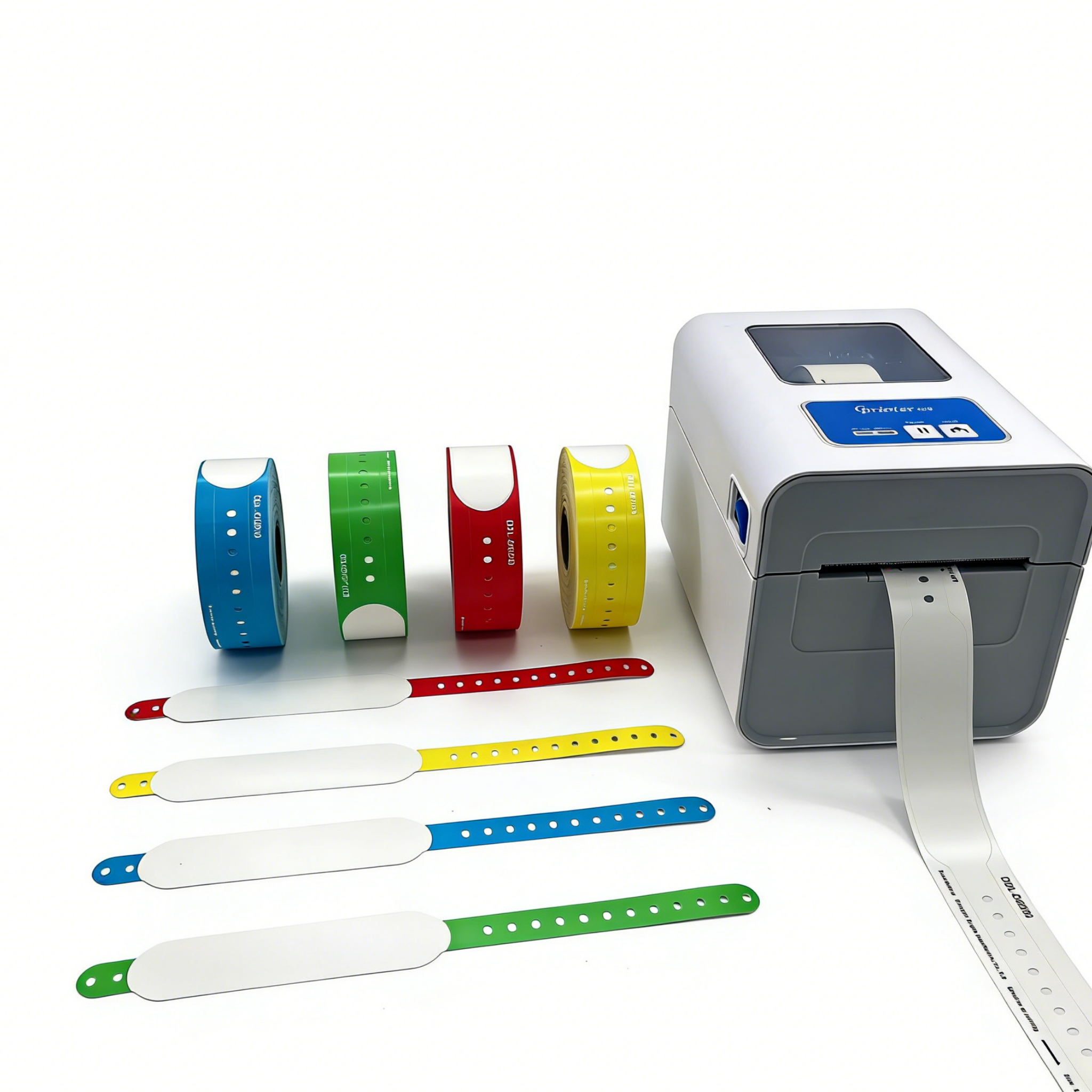
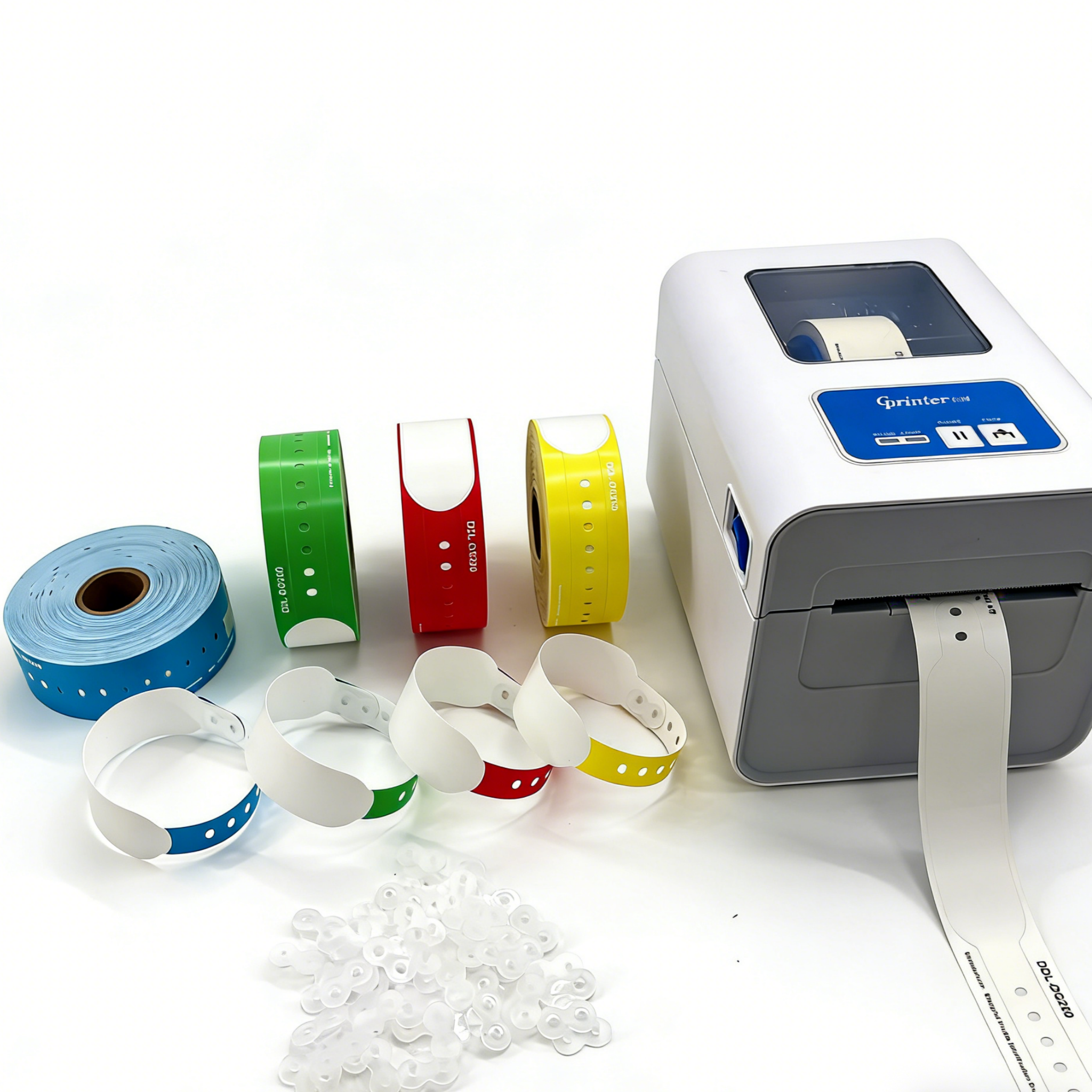
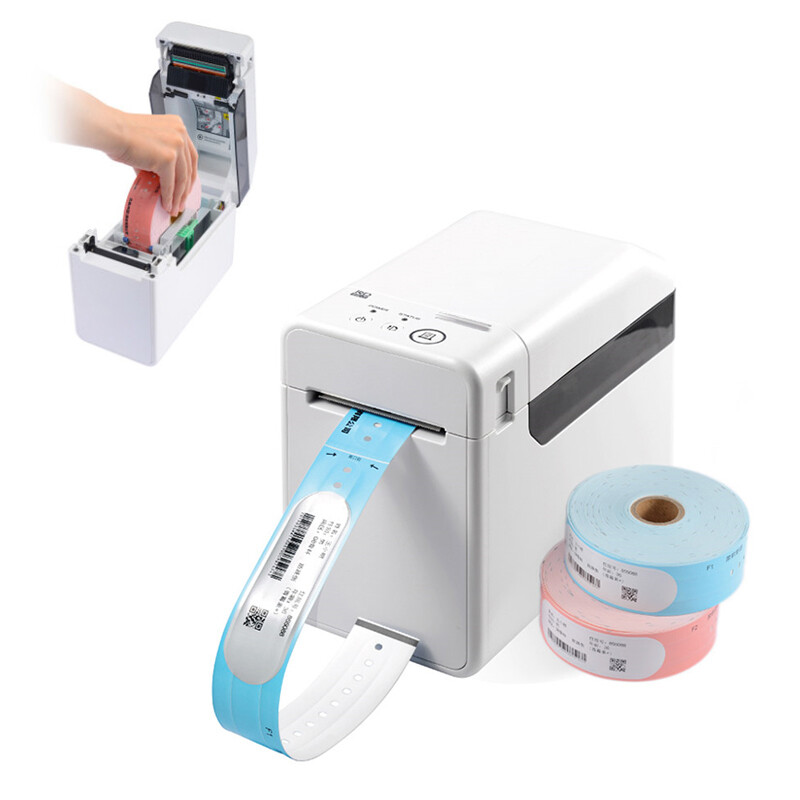
The Zebra desktop printer family dominates the direct thermal wristband market. These printers are purpose-built for healthcare environments: compact, quiet, and designed to sit on a nurse station desk or medication cart. The ecosystem revolves around two form factors — roll-fed wristbands and cartridge-based wristband cassettes — each with distinct clinical and logistical advantages.
The ZD600 Series and Healthcare Printing
The Zebra ZD600 series (successor to the GK420 and ZD420) represents the current generation of healthcare-grade direct thermal printers. The ZD620-HC and ZD621-HC models feature a healthcare-ready design with a disinfectant-ready housing that withstands repeated cleaning with hospital-grade disinfectants. These printers accept roll-fed Z-Band wristband media in a variety of widths and lengths.
The ZD600 series supports both direct thermal and thermal transfer printing modes, though for wristband applications the direct thermal mode is standard. Print resolution options include 203 dpi (sufficient for most barcode and text applications) and 300 dpi (recommended for high-density barcodes and small-font pediatric wristbands). Connectivity options span USB, Ethernet, Wi-Fi, and Bluetooth Low Energy, allowing integration with hospital ADT (Admission, Discharge, Transfer) systems and electronic health record platforms.
Z-Band Direct Thermal Wristband Materials
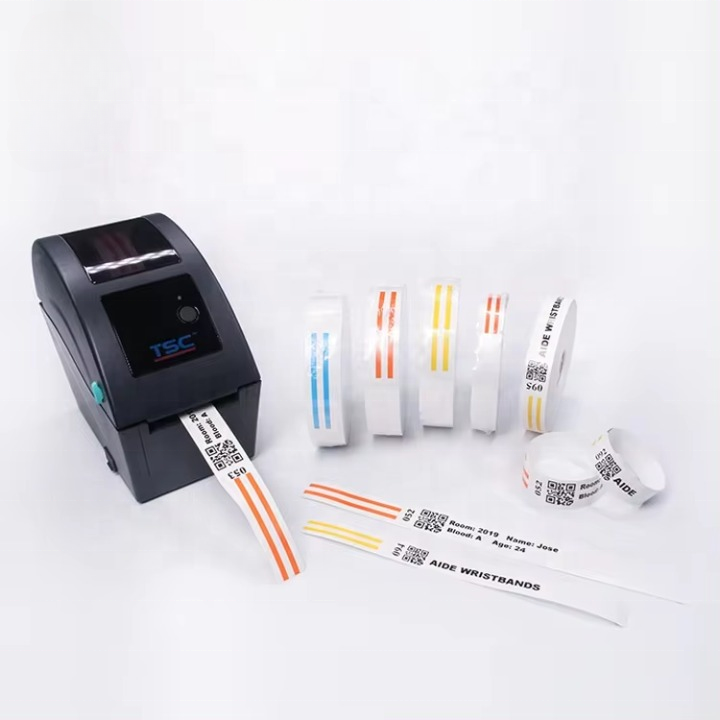
Z-Band is Zebra proprietary direct thermal wristband media line. The material is a synthetic, tear-resistant substrate with a thermal-sensitive coating that produces high-contrast images without ink or toner. Z-Band wristbands are available in several variants:
- Z-Band Direct — the standard adult wristband, available in white and multiple colors for ward-level color coding
- Z-Band UltraSoft — a softer, more flexible variant designed for neonatal and pediatric patients with sensitive skin
- Z-Band Direct with RFID — an embedded UHF RFID inlay that enables contactless patient identification and asset tracking
- Z-Band QuickClip — a wristband with an integrated adhesive closure that eliminates the need for snap or clip fasteners
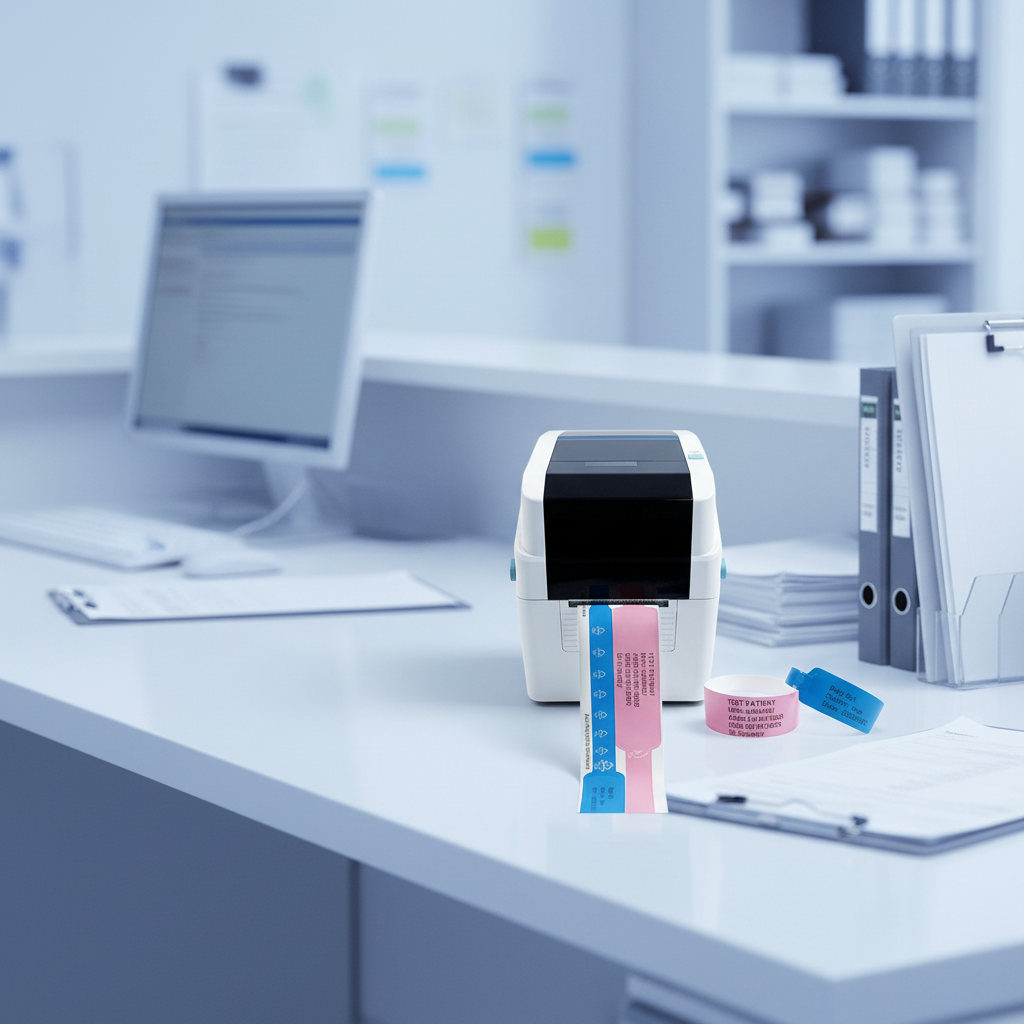
The direct thermal Zebra desktop printer applies heat directly to the Z-Band coating, producing barcodes, patient names, MRN numbers, and allergy alerts in a single pass. Because there is no toner or ribbon, the total cost per print is lower than laser alternatives, and maintenance requirements are minimal — typically limited to periodic printhead cleaning with an alcohol swab.
Cartridge-Based Printing: The HC100 and ZD510-HC
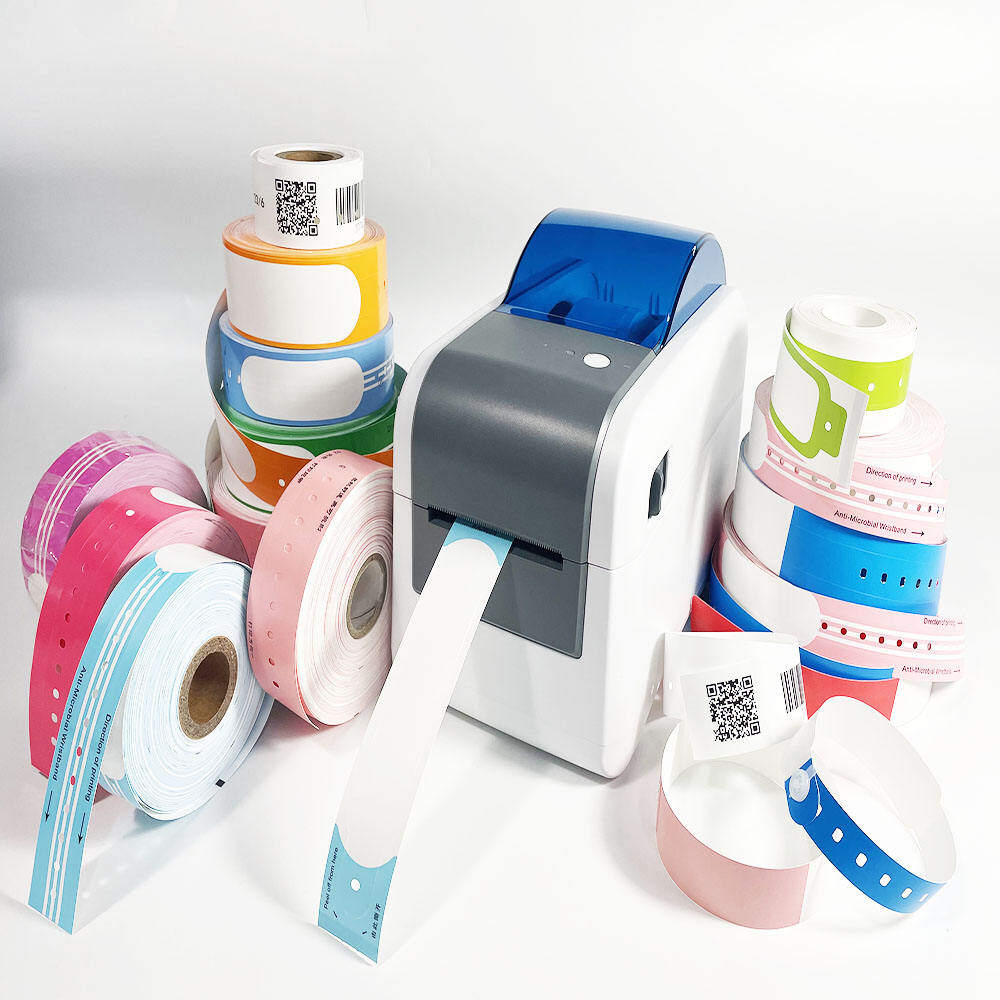
For facilities that prioritize ease of media loading and minimal operator training, Zebra offers cartridge-based wristband printers. The HC100 and the newer ZD510-HC use pre-loaded wristband cassettes that snap into the printer in seconds. Each cassette contains a pre-cut stack of wristband labels, eliminating the need to thread a roll through the printer mechanism.
The ZD510-HC is particularly popular in emergency departments and outpatient clinics where staff turnover is high and printer jams must be minimized. The cartridge system ensures consistent media alignment and reduces the risk of misfeeds. The trade-off is a slightly higher per-unit media cost compared to roll-fed Z-Band, though the reduction in staff time and printer downtime often offsets this difference.
Laser Wristbands: Compatibility and Use Cases
Laser wristbands occupy a distinct niche in the patient identification market. Unlike direct thermal wristbands, which require a dedicated thermal printer, laser wristbands are designed to run through standard office laser printers. This makes them attractive to smaller clinics, long-term care facilities, and outpatient surgery centers that already have laser printer infrastructure and do not want to invest in a separate thermal printing system.
LaserBand2 and Sheet-Based Media
LaserBand2 is the leading laser-compatible wristband product line. The media comes in sheet format — typically letter size (8.5 x 11 inches) — with multiple wristband labels per sheet. Each sheet feeds through a standard laser printer, and the toner is fused onto the wristband surface using the printer fuser unit. After printing, individual wristbands are peeled from the sheet and applied to the patient.
The LaserBand2 format typically yields 4 to 6 wristbands per sheet, depending on the label layout. Some configurations include a matching patient chart label or a medication administration record (MAR) label on the same sheet, streamlining the admission workflow. The sheet-based format also allows facilities to print wristbands on demand using existing print management software and network-connected laser printers.
Material Composition and Performance Considerations
LaserBand2 wristbands are typically constructed from a polyester or polypropylene substrate with a laser-receptive topcoat. The material is more rigid than direct thermal Z-Band media, which can affect comfort during extended wear. However, the laser printing process produces extremely durable images that resist fading, moisture, and chemical exposure better than many direct thermal prints.
Key performance characteristics of LaserBand2 media include:
- High-resolution barcode printing at 600 dpi or 1200 dpi, depending on the laser printer
- Excellent resistance to alcohol-based hand sanitizers and surface disinfectants
- Compatibility with most hospital-grade laser printers from HP, Brother, and Lexmark
- Availability in white and limited color options (color coding is typically achieved through printed color blocks rather than pre-colored media)
The Compatibility Question: Why You Cannot Mix and Match
One of the most common procurement mistakes is ordering wristband media that is incompatible with the installed printer fleet. Direct thermal wristbands will not produce an image in a laser printer — the thermal coating requires direct contact with a thermal printhead, not a laser-toner fuser. Conversely, LaserBand2 sheets will not work in a direct thermal printer — the laser-receptive coating does not respond to thermal energy, and the sheet format is physically incompatible with roll-fed or cartridge-fed thermal mechanisms.
Direct Thermal Requirements
To use direct thermal wristbands, a facility must have:
- A Zebra desktop thermal printer (ZD600 series, HC100, or ZD510-HC)
- Z-Band or compatible direct thermal wristband media in roll or cartridge format
- Printer drivers configured for the correct media size and print darkness setting
- Periodic printhead maintenance (cleaning every 2,000 to 3,000 prints or when print quality degrades)
Laser Wristband Requirements
To use LaserBand2 wristbands, a facility must have:
- A standard office laser printer with a straight-through or manual feed path
- LaserBand2 sheet media compatible with the printer fuser temperature range
- Print templates configured in the hospital information system or label design software
- A process for collecting and disposing of spent wristband sheet liners
The Zebra Setup Utilities Solution
Zebra Setup Utilities is the recommended driver and configuration tool for all Zebra desktop thermal printers. The software allows IT staff to configure print darkness, speed, media type, and label size from a centralized interface. For multi-site hospital networks, Zebra Setup Utilities can push configuration profiles to all networked printers simultaneously, ensuring consistent wristband output across facilities.
When migrating from a legacy printer to the ZD600 series, the Setup Utilities wizard guides the operator through media calibration — a critical step that ensures the printer sensor correctly detects the wristband gap or notch. Skipping calibration is the most common cause of misaligned prints and media jams in newly deployed thermal wristband systems.
Matching Wristband Specifications to Clinical Requirements
Choosing between thermal and laser wristbands is not purely a printer decision — it must align with the clinical environment, patient population, and identification workflow. The following sections map wristband specifications to common clinical scenarios.
Adult Inpatient and Emergency Departments
High-volume adult inpatient units and emergency departments benefit most from direct thermal wristband systems. The Zebra ZD600 series with roll-fed Z-Band media delivers wristbands at a rate of 4 to 6 inches per second, supporting rapid admission workflows. For bariatric patient wristbands, extended-length wristbands (11 inches or longer) are available in Z-Band Direct format to accommodate larger wrist circumferences while maintaining patient identification accuracy. The direct thermal process produces smudge-proof barcodes that remain scannable throughout a typical 3-to-7-day inpatient stay, even with repeated exposure to hand sanitizers and bathing.
Pediatric and Neonatal Considerations
Pediatric and neonatal patients present unique challenges. Infant wrists are too small for standard adult wristbands, and neonates in incubators are often swaddled, making wrist access difficult. For these patients, ankle bands are the preferred identification method — the ankle provides a larger circumference and remains accessible even when the infant is wrapped in blankets.
Z-Band UltraSoft is specifically engineered for neonatal skin, which is more permeable and sensitive than adult skin. The material is latex-free, hypoallergenic, and features a softer adhesive closure that minimizes skin trauma during removal. For premature infants in the NICU, the Z-Band UltraSoft neonatal ankle band is available in a 4-inch length with a narrower print area, requiring a 300 dpi printer to ensure barcode readability at the reduced label size.
Specialty Wristbands: Fall Risk, Allergy, and Color Coding
Color-coded wristbands are an established patient safety protocol in many hospital systems. Common color assignments include:
- Yellow — fall risk alert
- Red — allergy alert
- Purple — Do Not Resuscitate (DNR) status
- Pink — limb restriction (e.g., post-surgical arm on the affected side)
- Green — latex allergy
Direct thermal Z-Band media is available in all of these pre-colored variants, allowing nurses to apply a color-coded wristband at the point of admission without requiring a separate labeling step. LaserBand2 sheets can achieve color coding through printed color blocks, but this approach is less visually prominent from a distance and requires the printer to have color capability or a separate color laser printer.
RFID and Emerging Technologies
RFID-enabled wristbands represent the next evolution in patient identification. Z-Band Direct with RFID embeds a passive UHF RFID inlay within the wristband, enabling contactless identification at a range of up to 3 meters. This technology is particularly valuable for infant protection systems (anti-abduction), real-time location tracking of wandering patients in dementia units, and automated medication administration verification.
RFID wristbands require a direct thermal printer with RFID encoding capability — the Zebra ZD600 series offers an optional RFID encoder module that writes data to the inlay at the same time it prints the visible barcode and text. Laser printers cannot encode RFID inlays, making direct thermal the only viable platform for RFID wristband deployment.
Practical Procurement Checklist
Before placing a wristband order, procurement teams should verify the following items to avoid compatibility issues and supply chain disruptions:
- Confirm the installed printer fleet — model numbers, firmware versions, and connectivity options
- Identify the media format required — roll-fed (core size and outer diameter), cartridge (cassette type), or sheet (letter size and label layout)
- Verify the required wristband dimensions for each patient population — adult, pediatric, neonatal, bariatric, and ankle band sizes
- Determine color coding requirements — pre-colored media vs. printed color blocks
- Assess RFID requirements — current use, planned deployment, and encoder compatibility
- Review patient identification accuracy metrics from CAP Q-Probes or internal incident reporting to identify whether current wristband failures contribute to misidentification events
- Confirm adhesive type — standard acrylic, silicone-based (for sensitive skin), or hook-and-loop closure
- Validate barcode format — Code 128, Code 39, QR code, or DataMatrix — and ensure the printer resolution supports the required barcode density
Cost Considerations Across the Lifecycle
The total cost of a wristband identification system extends beyond the per-unit media price. Procurement teams should evaluate the following cost factors:
- Printer acquisition cost — Zebra desktop thermal printers range from approximately $300 to $800 per unit depending on model and connectivity options; laser printers are typically already installed as part of office infrastructure
- Media cost per wristband — direct thermal Z-Band roll media typically costs less per wristband than LaserBand2 sheets, though cartridge-based media carries a premium
- Consumable costs — direct thermal printers require no toner or ink; laser printers require toner cartridges and periodic fuser replacement
- Maintenance costs — thermal printheads have a finite lifespan (typically 50 million linear inches) and must be replaced when print quality degrades; laser printer maintenance contracts are typically bundled with office equipment leases
- Staff time — cartridge-based thermal systems and sheet-fed laser systems both minimize media loading time compared to roll-fed thermal systems that require threading
- Waste disposal — laser wristband sheets produce liner waste after each print run; thermal wristband rolls produce minimal waste
For high-volume inpatient facilities printing more than 200 wristbands per day, direct thermal systems with roll-fed Z-Band media typically deliver the lowest total cost of ownership. For low-volume outpatient clinics printing fewer than 20 wristbands per day, LaserBand2 sheets on existing laser printers may be more economical despite the higher per-unit media cost, because there is no incremental printer investment.
Making the Decision
The choice between thermal and laser wristbands ultimately comes down to three questions:
- What printer infrastructure does the facility already have?
- What is the daily wristband volume and patient population mix?
- What are the clinical requirements for durability, color coding, and RFID capability?
Choose direct thermal when the facility requires high-volume, rapid wristband production with color-coded media, RFID capability, and purpose-built healthcare printers. The Zebra ZD600 series with Z-Band media is the industry standard for this use case, offering the broadest range of wristband sizes, materials, and encoding options.
Choose laser when the facility has existing laser printer infrastructure, prints fewer than 50 wristbands per day, and does not require RFID or pre-colored media. LaserBand2 sheets provide a low-barrier entry point for small clinics and outpatient surgery centers that need reliable patient identification without a dedicated thermal printing investment.
Regardless of the technology chosen, the most important factor is consistency: every patient, every time, with a wristband that is legible, scannable, and securely fastened. Patient identification accuracy depends not on the printing technology alone, but on the entire system — printer, media, workflow, and staff compliance — working together as designed.
Continue Reading
Have Questions About Wristbands?
Our team is ready to help you find the perfect wristband solution for your needs. Contact us directly on WhatsApp for quick responses.
Contact on WhatsApp